

Pyromancer AI Terminal
The agentic AI terminal for macOS and Windows. Pyromancer combines the raw power of a traditional command line with an autonomous AI agent that executes commands, reads output, and decides what to do next. Tell it what you need, and it gets to work.
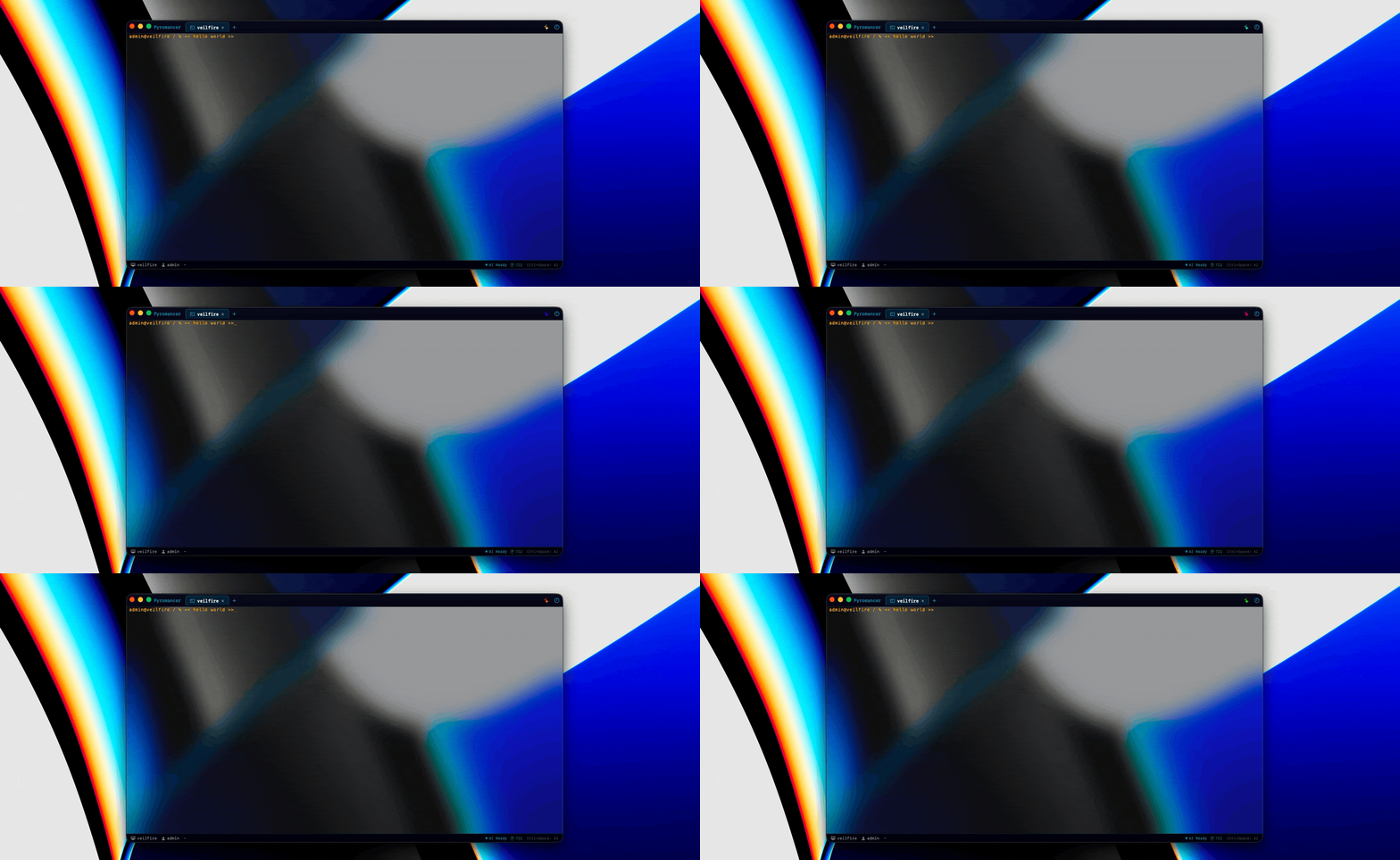
“The AI terminal that works for you, not the other way around.”
Get Pyromancer
Available for macOS and Windows.

Pyromancer
by Veilfire
macOSv1.0(~9.1 MB)
Pyromancer.zip - Apple SiliconWindowsv0.99
Pyromancer.msi - x64Checksums
SHA-256 (Pyromancer.zip - macOS)
b81830368cea15ae75a61d301d437699046cb4199ced1686d6782c6c6979486b
SHA-256 (Pyromancer.msi - Windows)
2734da312b35b11461a239389163520e4ea9640456326f7df6e329e57771e2ff
Virus Scans
Hosted on GitHub
macOS 26 (Tahoe) on Apple Silicon, or Windows 11 required
Agentic AI Risk Notice
Agentic AI operates with varying levels of autonomy and carries unique risks comparable to allowing an unknown user to perform tasks on your computer. By downloading and using Pyromancer, you acknowledge these risks and accept full responsibility for any actions taken by the agent. Veilfire provides no warranty and assumes no liability for damages arising from autonomous AI operations. Use autonomy levels at your own risk.
What Makes This AI Terminal Different
Not a chatbot bolted onto a terminal. Pyromancer is an agentic AI terminal where the AI types the commands itself.
AI That Acts, Not Just Advises
Give it a task and it gets to work. Running commands, reading output, deciding what to do next. SSH into a server, check containers, restart services. Just say so.
Human-In-The-Loop Control
Every command is risk-classified. Safe commands can auto-approve; dangerous ones require explicit permission. You choose how much freedom to give the AI with a configurable threshold.
GPU-Accelerated Rendering
Every character, cursor blink, and visual effect is hardware-accelerated on your GPU. Scrolling through thousands of lines of logs is silky smooth.
Smart Autocomplete
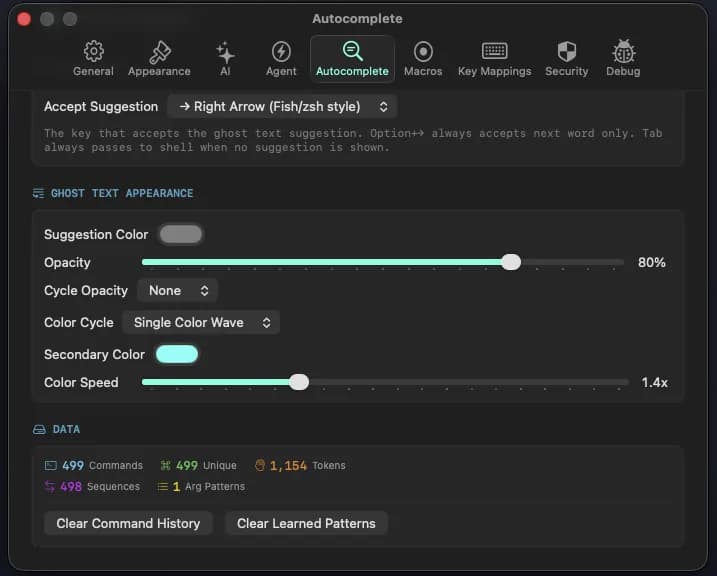
History-first predictions, Git-aware completions, typo correction via fuzzy matching, and learned patterns from your terminal usage. Ghost text appears inline as you type.
Secrets Stay Secret
API keys stored in your platform's secure vault (macOS Keychain / Windows Credential Manager). Terminal output automatically scrubbed of secrets before AI sees it. Autocomplete data AES-256 encrypted at rest. Tamper-evident audit log.
Independent Agent Per Tab
Each terminal tab has its own AI agent. Run a deployment in one tab while debugging in another. Active tabs glow with context usage indicators.
Autocomplete That Learns
History-first predictions, Git-aware completions, and learned patterns from your usage. Everything encrypted at rest.
Three Agentic AI Execution Modes
Choose how much autonomy to give your AI terminal agent.
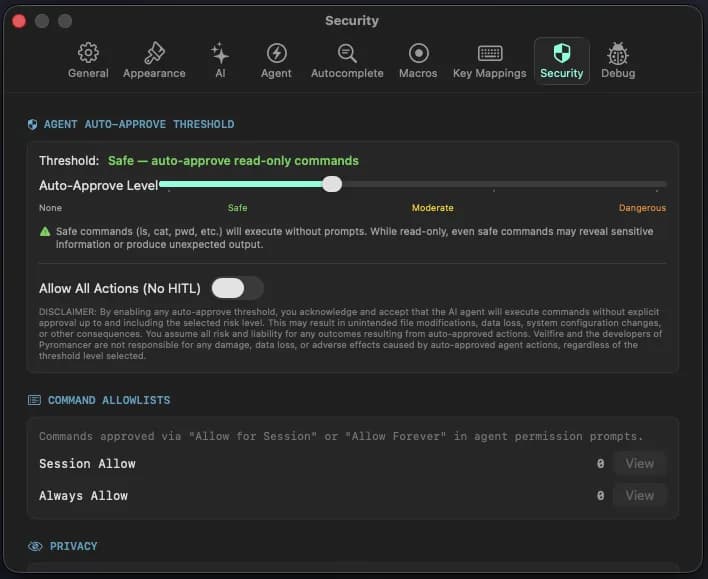
Strict Step-by-Step
Approve every single action. Maximum control over what runs in your terminal.
Strict Workflow
See the full plan upfront, approve once. The agent executes the entire workflow.
Autonomous
Let it run within the safety boundaries you set. HITL only for commands above your threshold.
Choose Your Model
Anthropic
Claude Opus, Sonnet, Haiku
OpenAI
GPT-4 Series, GPT-5 Series, Mini, Nano, Pro, etc.
OpenRouter
100+ models via unified API
3-Tier Memory System
Task memory for the current session, baseline memory for persistent context, and long-term memory with configurable retention. Background reflection keeps the agent's understanding current.
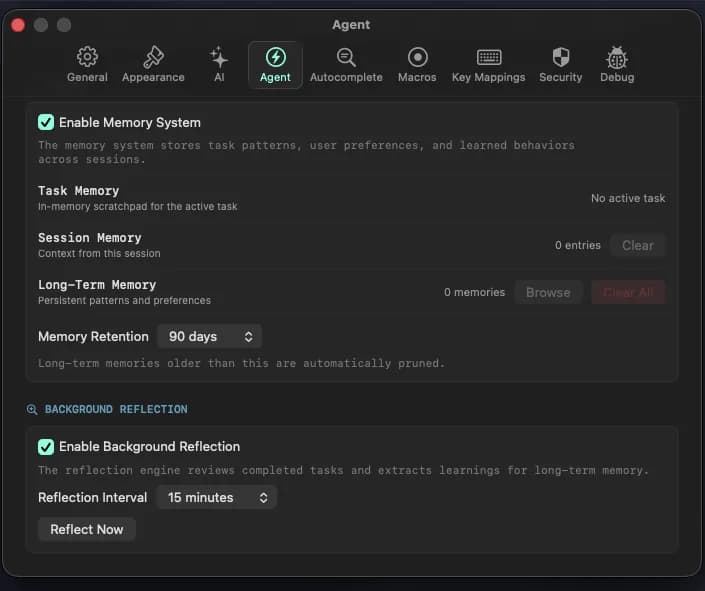
Task Memory
Scoped to the current session. Cleared when the task ends. No bleed between conversations.
Baseline Memory
Persistent facts about your environment, preferences, and common workflows. Always available to the agent.
Long-Term Memory
Configurable retention period. Background reflection distills patterns from past sessions automatically.
Task Scheduler with Workflow Capture
Schedule recurring agent tasks. After the first run, Pyromancer captures the exact command sequence. Review it, accept it, and every future run is locked to that pattern.
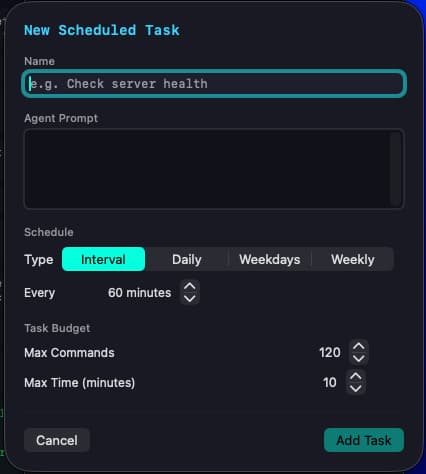
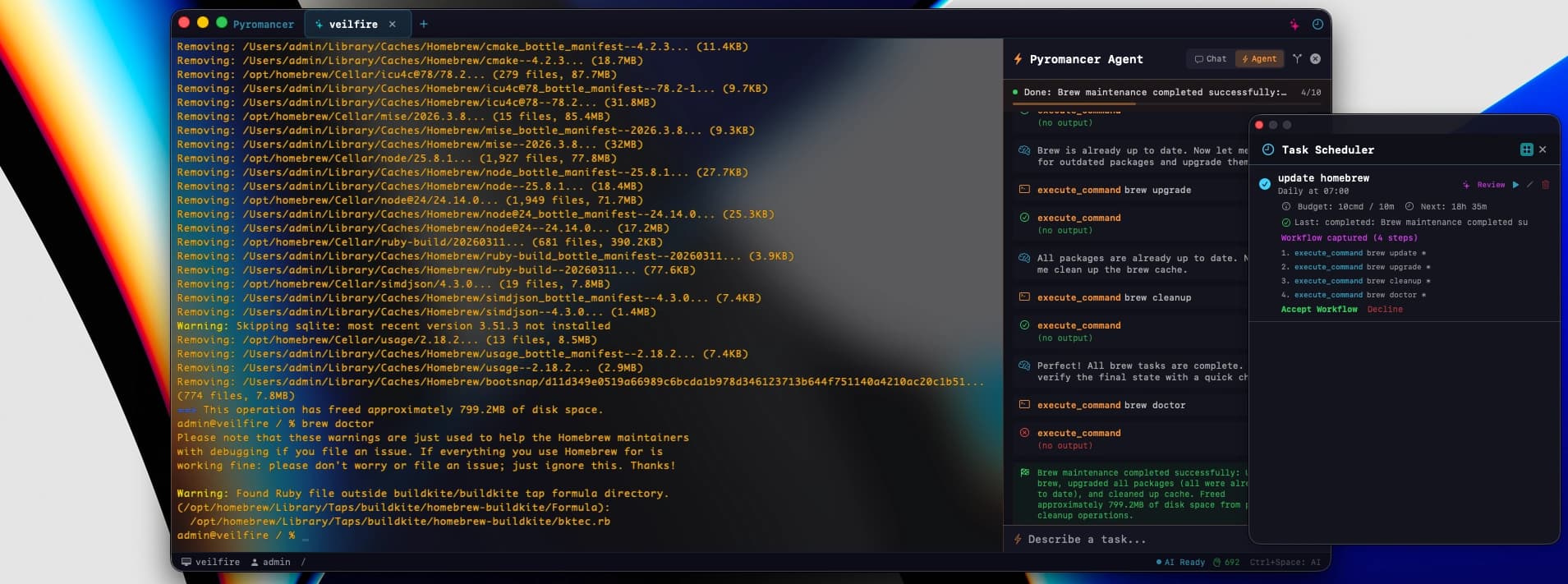
Every 15 minutes, hourly, daily, weekdays, or weekly. Whatever you need
Each scheduled task has its own command and time limits
Accept a captured workflow and the agent can't deviate from it
Accepted workflows run hands-free within your safety threshold
See when each task last ran, whether it succeeded, and when it runs next
Clear the locked workflow and let the agent figure out a new approach
AI Terminal Security at Every Layer
Your data stays yours. This AI terminal has no telemetry, no cloud dependency. Everything runs locally.
| Layer | Protection |
|---|---|
| API Keys | Platform secure vault only (Keychain / Credential Manager). Never in files, env vars, or config |
| Terminal Output | Automatically redacted before AI sees it (AWS keys, GitHub PATs, JWTs, passwords, bearer tokens) |
| Agent Commands | Risk-classified with configurable auto-approve threshold |
| File Access | Per-path read-only/read-write rules, symlink-resistant |
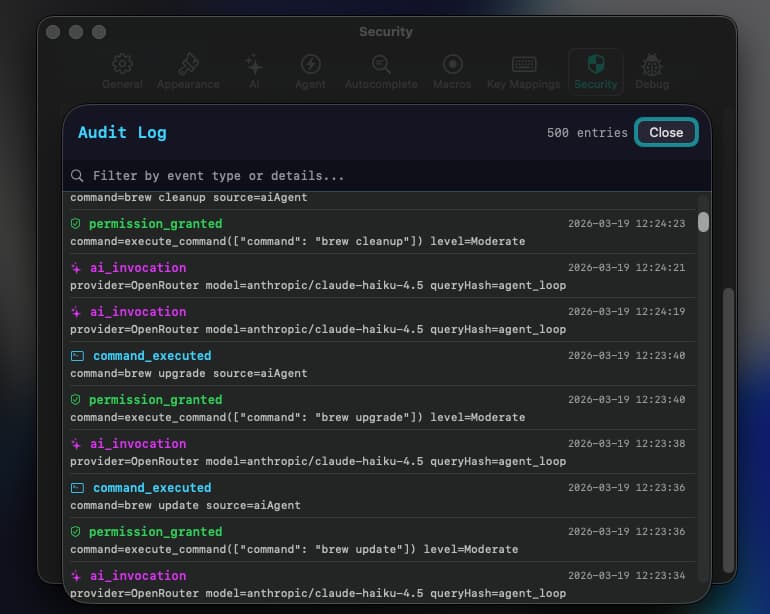
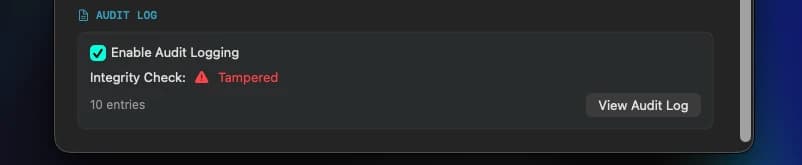
| Audit Trail | HMAC-SHA256 signed JSONL log with chained entries |
| Autocomplete Data | AES-256-GCM encrypted at rest, key in platform secure vault |
Looks as Good as It Works
4 Built-in Themes
Cyberpunk Neon, Ember Dark, Veilfire Stealth, or fully custom
GPU Visual Effects
Bloom, chromatic aberration, scanlines, vignette
Glass Effects
Frosted glass and clear transparency with adjustable opacity
Animated Borders
Rainbow gradient borders on permission dialogs and active tabs
Your Data Stays Yours
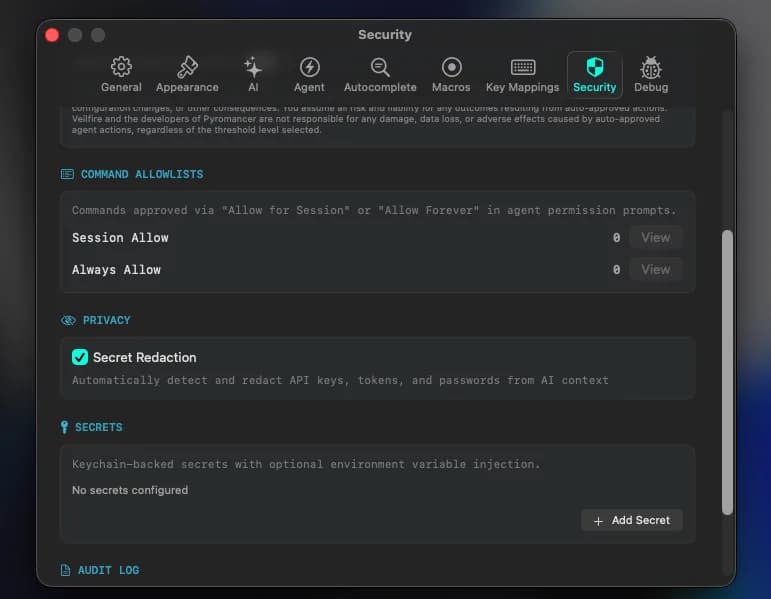
Pyromancer does not phone home, collect usage data, or send analytics.
Everything runs locally. AI API calls go directly to your chosen provider.
API keys, tokens, and passwords are automatically stripped from terminal output before the AI sees it.
Terminal output, AI conversations, and command history never leave your machine.
Every AI action, permission decision, and command execution, all logged locally with cryptographic integrity.
Quick Start Guide
From install to your first AI terminal workflow in minutes.
Open Pyromancer
Your default shell starts automatically. The terminal is ready to use immediately, GPU-rendered with full ANSI support.
Configure Your AI Provider
Press Cmd+, to open Preferences. Navigate to the AI tab and enter your API key for Anthropic, OpenAI, or sign in to OpenRouter. Keys are stored securely in the macOS Keychain.
Open the AI Sidebar
Click the sparkles icon in the tab bar or press Ctrl+Space. Start in Chat mode to ask questions about terminal output or get command suggestions.
Switch to Agent Mode
Toggle to Agent mode and describe a task. The agent will run commands one at a time, observe results, and decide what to do next. Always within your permission boundaries.
Configure Safety Boundaries
In Preferences > Agent, set your execution mode (strict, workflow, or autonomous), task budgets, and file access rules. Define exactly where the agent can read and write.
Agent Tools
The autonomous agent uses five tools to interact with your terminal.
| Tool | Risk | Purpose |
|---|---|---|
| execute_command | Moderate | Run a shell command and capture output. Waits for completion. |
| send_input | Moderate | Send raw text/keystrokes to the terminal. Use for interactive programs and SSH. |
| wait_for_output | Safe | Wait for a regex pattern to appear in terminal output. |
| read_terminal | Safe | Read the current visible terminal output without executing anything. |
| task_complete | Safe | Signal that the task is finished. |
Risk Classification
Every command the AI wants to execute is classified by risk before it runs.
| Level | Examples | Behavior |
|---|---|---|
| Safe | ls, pwd, git status, cat | Configurable: auto-approve or require approval |
| Moderate | git commit, npm install, ssh | Configurable: auto-approve or require approval |
| Dangerous | rm -rf, docker rm, chmod 777 | Configurable: auto-approve or require approval |
| Critical | sudo, dd, mkfs, defaults write | Always requires approval + warning |
Slash Commands
/helpShow all available slash commands/search <query>Search terminal output using AI/explain [text]AI explains last terminal output/fix [description]AI suggests fix for last error/macro record|play|list|stop [name]Macro operations/clearClear AI conversation history/model [provider] [model]Switch AI provider/modelKeyboard Shortcuts
All shortcuts are customizable in Preferences.
| Action | Shortcut |
|---|---|
| Toggle AI Sidebar | Ctrl+Space |
| New Tab | Cmd+T |
| Close Tab | Cmd+W |
| Next Tab | Cmd+Shift+] |
| Previous Tab | Cmd+Shift+[ |
| Preferences | Cmd+, |
| Start Macro Recording | Cmd+Shift+R |